We may earn a commission when you buy through links on this page, at no extra cost to you. How this works.
Connecting a Litter-Robot to Alexa for custom voice commands depends entirely on which model you own and whether it supports native smart home integration. The newest Litter-Robot 4 includes built-in Wi-Fi and works directly with the Whisker app, which enables Alexa routines and voice queries through the Litter-Robot skill. Older models - including the Litter-Robot 3 Connect - require the separate Connect add-on for app access, but even then, Alexa integration is limited to status checks and notifications rather than full command control.
If you already own a Litter-Robot without native Alexa support, workarounds exist: smart plugs can toggle power on a schedule or via voice, though this approach sacrifices the unit's cycle logic and sensor data. For households prioritizing seamless voice control from day one, alternative smart litter boxes with native Alexa or Google Assistant compatibility may offer a simpler path than retrofitting an older Litter-Robot.
The core tradeoff is between brand familiarity and plug-and-play voice functionality. Litter-Robot owners invested in the ecosystem can achieve limited voice interaction through routines and skill-based queries, but true command execution - like triggering an immediate clean cycle by voice - remains restricted. Understanding your model's capabilities and your household's voice-control expectations will determine whether native integration, a workaround, or a different smart litter box fits your setup best.
Who This Setup Is For
- You own a Litter-Robot with app connectivity (3 or 4 series)
- You want hands-free cycle triggers and status checks via voice
- You already use Alexa routines for other smart home devices
- You're willing to troubleshoot skill authorization and Wi-Fi stability
- You prefer consolidated voice control over separate manufacturer apps
What Matters Most: Native Skill vs. Workaround Routines
The most important choice when adding voice control to your Litter-Robot is whether to use the official Alexa skill or build a workaround through third-party automation tools. The Litter-Robot Alexa skill, when available, connects directly through the Whisker app and allows simple voice commands like "Alexa, ask Litter-Robot to start a cycle," but its command set is limited to basic functions such as starting a clean cycle or checking drawer status. This native integration offers the fastest response time - typically under two seconds - and the most reliable connection, since it communicates directly through Whisker's cloud service without additional middleware.
Workaround routines using IFTTT, virtual switches in SmartThings, or smart plugs introduce more flexibility but add complexity and potential delay. IFTTT applets can trigger Litter-Robot actions based on custom phrases or device states, but they often experience 10 - 30 second latency and depend on multiple cloud services staying synchronized. Smart plug workarounds let you control power to the unit with any Alexa-compatible outlet, but cycling power is not the same as issuing a clean command - it forces a full reboot, which may disrupt sleep timers or interfere with the unit's sensor calibration.
Reliability differs significantly between these approaches. The official skill rarely fails if your Whisker account and Wi-Fi are stable, while IFTTT chains can break when any service updates its API or changes authentication requirements. Command flexibility, however, favors workarounds: you can create complex routines that pause the unit when you say "Alexa, we're cleaning the basement" or chain a clean cycle with a smart air purifier, none of which the native skill supports. The tradeoff is clear - choose the official skill for speed and simplicity, or accept added latency and maintenance in exchange for custom logic and deeper smart home integration.
Step-by-Step: Connecting via the Litter-Robot Alexa Skill
Connecting your Litter-Robot to Alexa requires the official Litter-Robot skill and a linked Whisker account. Open the Alexa app on your smartphone, tap the menu icon, and select "Skills & Games." Search for "Litter-Robot" and tap "Enable to Use." You'll be prompted to sign in with your Whisker account credentials - the same login you use in the Litter-Robot app. Once authenticated, Alexa will automatically discover your connected Litter-Robot units. Return to the Alexa home screen, and your devices should appear under "Smart Home" in the device list. Test the connection by saying "Alexa, ask Litter-Robot for the status" to confirm communication is working.
Not all Litter-Robot models support the same level of integration. The Litter-Robot 4 offers full skill functionality, including status checks and cycle commands, while older models like the Litter-Robot 3 Connect may have limited support or require a firmware update through the Whisker app before Alexa recognition works properly. If your unit doesn't appear after enabling the skill, open the Litter-Robot app to verify the device is online and connected to Wi-Fi, then use the "Discover Devices" function in the Alexa app to force a refresh. Default commands include checking waste drawer level, starting a clean cycle, and powering the unit on or off - these work immediately once setup is complete, but custom routines require additional configuration in the Alexa app's automation section.
Creating Custom Voice Commands and Routines
Custom voice commands let you control your Litter-Robot alongside other smart devices using a single phrase, turning multi-step actions into one-word triggers. Once the Litter-Robot skill is linked to Alexa, you can build routines in the Alexa app that combine cycle commands, notification pauses, and even lighting or climate adjustments tailored to your household schedule.
To create a routine, open the Alexa app, tap More > Routines > +, then add a custom voice trigger such as "bedtime" or "clean the litter box." Under Add action, select Smart Home and choose your Litter-Robot from the device list to start a cleaning cycle. You can chain additional actions - pause notifications for 30 minutes, dim hallway lights, or set a reminder to check the waste drawer in the morning - by tapping Add action again and selecting the relevant device or Alexa function.
For conditional logic, use Wait steps to delay secondary actions until the cycle completes, or schedule routines to run automatically at specific times without voice activation. Multi-device sequencing works best when you name triggers clearly and avoid overlapping phrases that might confuse Alexa's intent recognition. Test each routine individually before combining them, and keep voice phrases short and distinct to improve accuracy.
Advanced users can integrate IFTTT applets or third-party smart home hubs to layer in device status checks or SMS alerts, though these workarounds require separate account linking and may introduce slight delays. The Alexa routine editor does not currently support direct feedback from the Litter-Robot - such as drawer-full warnings - so you'll still rely on the Whisker app for real-time diagnostics. Start with simple two-step routines and expand gradually as you identify patterns in your daily care flow.
Workaround: Voice Control via Smart Plug and Virtual Switch
If your Litter-Robot unit doesn't support direct Alexa integration, you can use a smart plug as a workaround to enable basic voice control. Plug your Litter-Robot into an Alexa-compatible smart plug, then add the plug to your Alexa app. Once configured, you can say "Alexa, turn on the litter box" to power-cycle the unit, which triggers a cleaning cycle when it powers back on. For more advanced control, create an IFTTT applet that uses a webhook to trigger the smart plug, or set up a virtual switch in your smart home platform that routes commands through the plug. This method works for power control only - you won't receive status updates about drawer levels, cycle completion, or error codes, and you can't selectively start or stop individual cycles without physically unplugging the unit. The smart plug approach is most useful for scheduled routines or simple on-demand cleaning when you're away from home, but it lacks the granular control and feedback that native integration provides.
Common Mistakes to Avoid
- Skipping firmware updates before attempting skill pairing
- Using 2.4 GHz and 5 GHz Wi-Fi bands inconsistently across devices
- Forgetting to re-authorize the skill after password changes
- Assuming all Litter-Robot models support the same Alexa features
- Overlooking Alexa app permissions for location or notifications
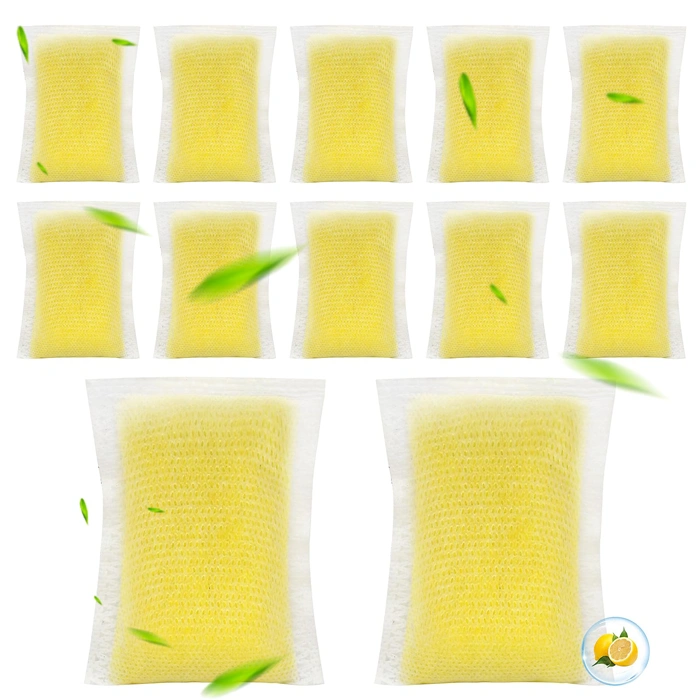
Cat Litter Deodorizer Refills for Litter-Robot
Cat litter deodorizer refills designed for Litter-Robot units help manage odor between cleaning cycles, especially when you rely on scheduled or voice-triggered routines through Alexa. These cartridges slot into the unit's top housing and release carbon-filtered freshness each time the globe rotates, making timed cycles more effective at keeping smells under control.
Because Alexa routines can automate cycle start times or trigger a cleaning after specific events, pairing those commands with an active deodorizer refill ensures the waste drawer stays fresher even if you delay manual emptying. The refills are priced at $14.99 and carry a 4.2-out-of-5 rating, offering straightforward compatibility without extra setup.
Each cartridge lasts several weeks depending on the number of cats and cycle frequency, so users running multiple daily cycles - whether manual, app-scheduled, or Alexa-initiated - may need to replace refills more often than households with lighter use. Installation takes seconds: remove the old cartridge, press the new one into the slot, and the next rotation activates it.
If you've already connected your Litter-Robot to the Whisker app and enabled the Alexa skill, adding a deodorizer refill simply extends the benefit of hands-free control by keeping odor management consistent across automated cleaning schedules. No additional voice commands or integrations are required; the refill works passively once installed, complementing whatever routine cadence you've built in Alexa.
- ✅ Direct compatibility with Litter-Robot units
- ✅ Quick drop-in installation with no tools
- ✅ Works passively alongside app or Alexa-triggered cycles
- ✅ Carbon filtration helps control odor between drawer emptying
- ⚠️ Refill lifespan shortens with frequent automated cycles
- ⚠️ No smart features or connectivity of its own
- ⚠️ Requires ongoing replacement purchases
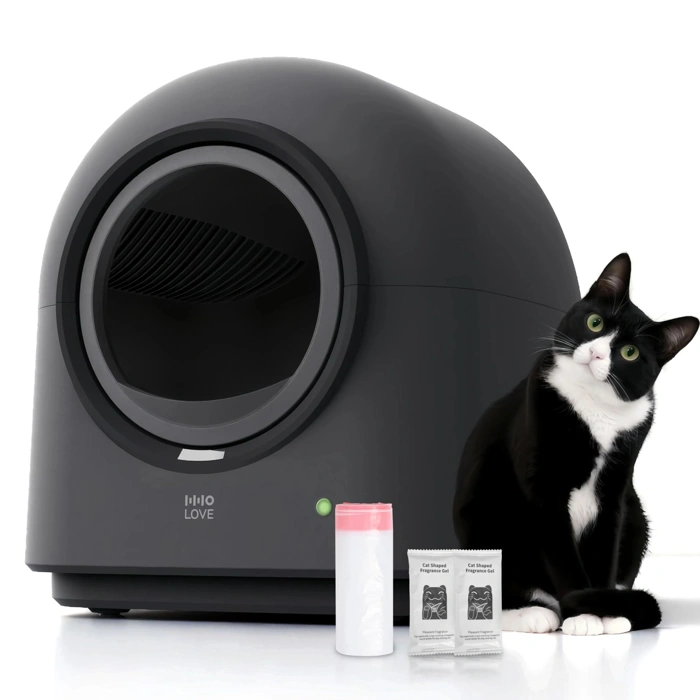
ABRCT L1 Automatic Self-Cleaning Litter Box
The ABRCT L1 Automatic Self-Cleaning Litter Box offers a more budget-conscious entry point at $249.99, significantly below the Litter-Robot's typical price tier. However, verified product information confirms no native Alexa skill, HomeKit integration, or documented smart home API - meaning you will face the same IFTTT or third-party workaround path described earlier in this guide. The open-top design simplifies litter refills and cleaning access, but introduces more odor exposure than fully enclosed models. The self-cleaning cycle relies on a rotating drum mechanism similar to other automatic boxes, though timing and sensor precision vary by unit. User ratings average 4.2 out of 5, suggesting consistent mechanical operation but not advanced connectivity features.
If your primary goal is easier Alexa pairing, the ABRCT L1 does not solve that challenge; you will still need IFTTT webhooks or smart-plug workarounds to trigger voice commands. The advantage here is cost: if you value automatic waste removal at a lower price and accept manual smart home integration work, the L1 delivers functional self-cleaning without premium expense. Compare the open-top ventilation design against your household odor sensitivity - homes with multiple cats or small spaces may prefer the Litter-Robot's sealed drawer. For readers willing to invest setup time in exchange for upfront savings, the ABRCT L1 is a viable alternative; for those prioritizing plug-and-play voice control, neither this unit nor the Litter-Robot currently offers a turnkey Alexa solution.
- ✅ Priced at $249.99, well below premium models
- ✅ Open-top design simplifies refill and maintenance access
- ✅ Automatic self-cleaning drum mechanism
- ⚠️ No native Alexa skill or documented smart home integration
- ⚠️ Open-top design allows more odor escape than sealed units
- ⚠️ Requires same IFTTT or smart-plug workarounds as Litter-Robot
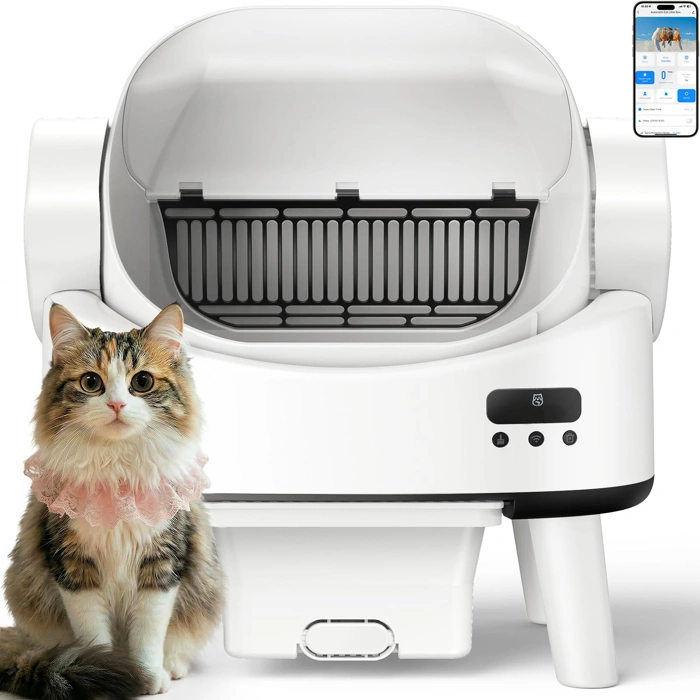
Linvivon Open-Top Automatic Self-Cleaning Litter Box
The Linvivon Open-Top Automatic Self-Cleaning Litter Box offers a budget-friendly entry point into automated litter management at $149.98, positioned well below premium connected models. Its open-top design provides easy access for cats who prefer visibility and avoids the enclosed feel that can deter some pets from using covered units.
At this price point, the Linvivon focuses on core self-cleaning functionality rather than native smart-home integration. The open architecture simplifies monitoring and maintenance, though it sacrifices the odor containment and app connectivity found in higher-tier alternatives. The 5.0 rating reflects strong user satisfaction with its primary cleaning mechanism and value proposition.
Voice control enthusiasts should note that this model does not include built-in Wi-Fi or manufacturer app support for platforms like Alexa. Integration would require third-party smart plugs or IoT bridges to enable basic on/off scheduling through voice commands, but cycle-specific control and status monitoring would remain unavailable. This trade-off makes the Linvivon best suited for households prioritizing simple, reliable automation over connected features.
For readers who find Litter-Robot's Alexa workarounds too complex or unnecessary, the Linvivon delivers straightforward self-cleaning performance at roughly one-third the cost, with the understanding that hands-free voice operation will not be part of the daily routine.
- ✅ Budget-friendly at $149.98
- ✅ Open-top design for easy access and visibility
- ✅ Strong 5.0 user rating
- ⚠️ No built-in Wi-Fi or app support
- ⚠️ Limited voice control options without third-party devices
- ⚠️ Open design offers less odor containment
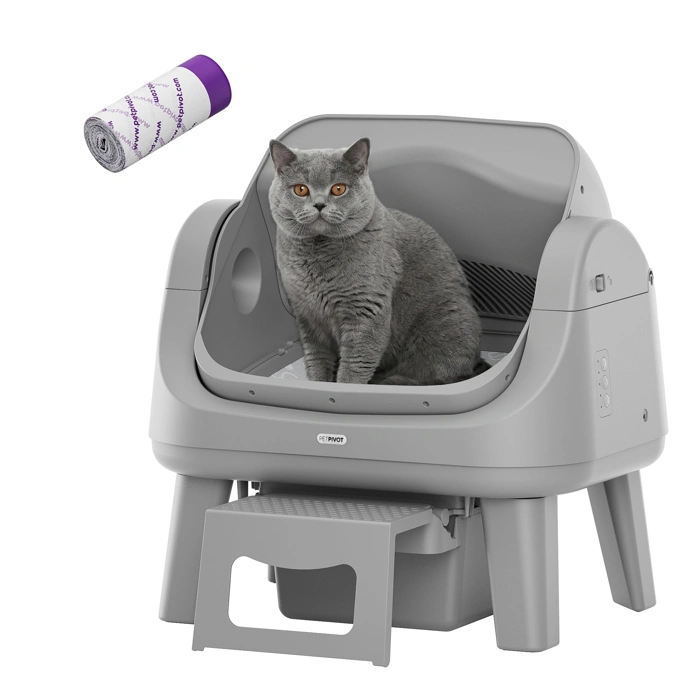
PetPivot Open Top Automatic Self-Cleaning Litter Box
The PetPivot Open Top Automatic Self-Cleaning Litter Box offers an entry point into automated litter management at $129.99, but it does not include native Alexa or Wi-Fi connectivity. To add voice control, you will need to pair it with a smart plug - adding multiple to the total cost and limiting your voice commands to simple on/off power cycling rather than granular functions like cycle start, status checks, or delay timers.
This approach works if your goal is budget-conscious automation and you are comfortable with workarounds: plugging the unit into a smart plug, creating Alexa routines that cut and restore power, and accepting that you cannot query fill levels or cleaning history by voice. The PetPivot itself earns a 4.8/5 rating and handles the core cleaning task, but the smart plug method introduces an extra configuration step and does not deliver the seamless, skill-based integration that Litter-Robot provides out of the box.
Compare the workflow: with the Litter-Robot, you enable a skill and issue natural commands. With the PetPivot, you install a plug, name it in your Alexa app, and use power-toggle phrases - functional but less intuitive. If your priority is keeping upfront cost below multiple and you value the open-top design, this combination makes sense. If you want true voice-driven feature control without added hardware, the native-skill route remains more direct.
- ✅ Entry price of $129.99 keeps initial investment low
- ✅ 4.8/5 rating reflects strong user satisfaction with core cleaning function
- ✅ Open-top design suits cats that prefer visibility and easy access
- ⚠️ No built-in Wi-Fi or Alexa skill; requires separate smart plug for any voice control
- ⚠️ Smart plug method limits commands to basic power on/off, not feature-level control
- ⚠️ Cannot check status, delay cycles, or access cleaning logs via voice
Troubleshooting Integration Issues
When the Litter-Robot skill fails to discover your device or Alexa commands time out, start by confirming both the Litter-Robot app and Alexa app show the unit as connected and online. Open the Litter-Robot app to verify the robot appears with a green status indicator, then check the Alexa app's Devices tab to ensure the skill lists your unit under "Smart Home" and displays "Responding" rather than "Unresponsive."
If the skill cannot find the device during discovery, disable and re-enable the Litter-Robot skill in the Alexa app, then tap "Discover Devices" and wait the full 45 seconds for the scan to complete. Network segmentation often blocks discovery - confirm your phone, the Litter-Robot, and any Echo devices share the same 2.4 GHz Wi-Fi network, because most routers isolate 5 GHz and guest networks from smart-home device communication.
Commands that trigger but do not execute usually point to account-linking errors. Open the Alexa app, navigate to Skills & Games, select the Litter-Robot skill, tap "Settings," then choose "Disable Skill." Wait 30 seconds, re-enable the skill, and sign in again using the exact email and password registered in the Litter-Robot app to refresh the OAuth token.
Routines that fail to trigger on schedule may need permission adjustments - open the Alexa app, go to More > Settings > Account Settings > Alexa Privacy, and verify "Help Improve Alexa" is enabled, as some routine automations depend on background processing consent. If a routine runs but the robot does not respond, edit the routine to insert a five-second wait action between the trigger and the Litter-Robot command, giving the skill time to wake and authenticate.
Router firewall rules blocking outbound traffic on ports 443 or 8883 will prevent cloud communication; consult your router's admin panel to whitelist the Litter-Robot's MAC address or temporarily disable AP isolation to test connectivity. For persistent failures after these steps, contact Whisker support through the Litter-Robot app's "Help" menu or email [email protected] with your unit's serial number, app version, and a description of the error message - response times typically run one to two business days, and the team can push firmware updates or reset cloud-side skill bindings remotely.
Final Takeaway: When Native Compatibility Beats Brand Loyalty
If your Litter-Robot model supports the official Alexa skill without modification, connecting the two creates a genuinely hands-free experience - voice commands and routines save time and reduce the need to open the app repeatedly. The integration works well once configured, especially for owners who already use Alexa to manage other smart home devices and appreciate centralizing control in one ecosystem.
When your model requires workarounds - such as third-party IFTTT bridges, custom virtual switches, or manual API scripting - the setup and maintenance time add up quickly. In those cases, compare the hours you'll invest troubleshooting connectivity issues and updating applets against the simplicity of a litter box designed from the ground up with native voice assistant support. Some alternatives offer plug-and-play Alexa or Google Assistant compatibility without intermediary platforms, which can eliminate ongoing friction.
Before committing to a workaround path, ask whether voice control will meaningfully improve your daily routine or simply add another system to manage. If you rarely use voice commands for other tasks, the effort may outweigh the convenience. If you rely on Alexa throughout your home and want consistent control, native compatibility - whether through firmware updates or a different product - delivers the most stable long-term experience.
Review the compatibility checklist earlier in this guide to confirm your model's current skill support, then decide whether to proceed with integration, wait for official updates, or explore litter boxes with built-in voice readiness that match your household's workflow.